 PERICLES / STATION DESK
Production Order Software for TV Stations.
From the account executive's phone to on air. Every department on its own screen, every step a task, every file in its place.
Start Free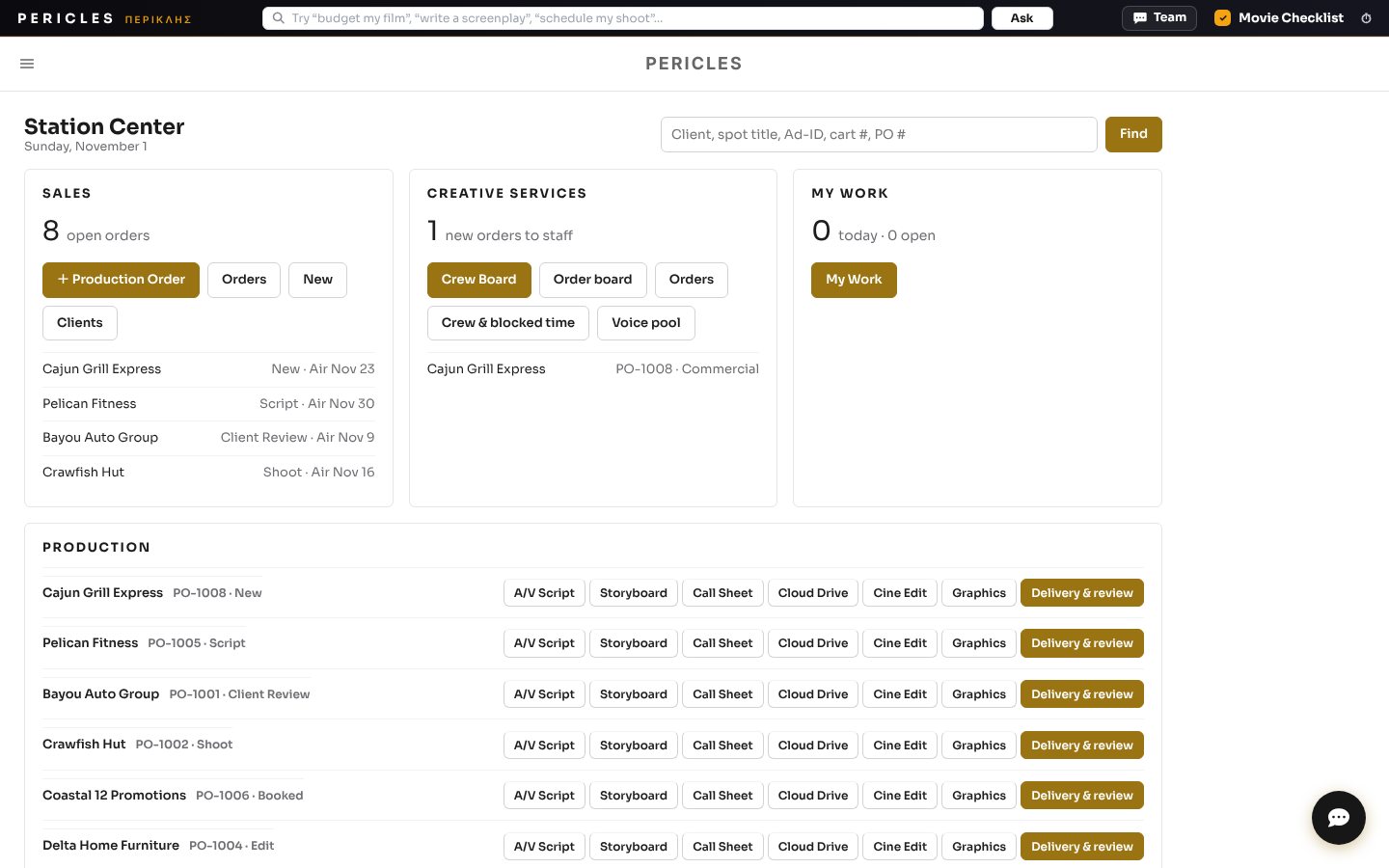
Account executives promise dates without seeing the creative calendar. Work hides in email threads and folders, approvals stall, and old versions are impossible to find when a client calls.
Sales books real crew avails. Every step becomes a task with an owner and a date. Files land in the right place with a review link, approvals move in order, and traffic gets clean instructions.
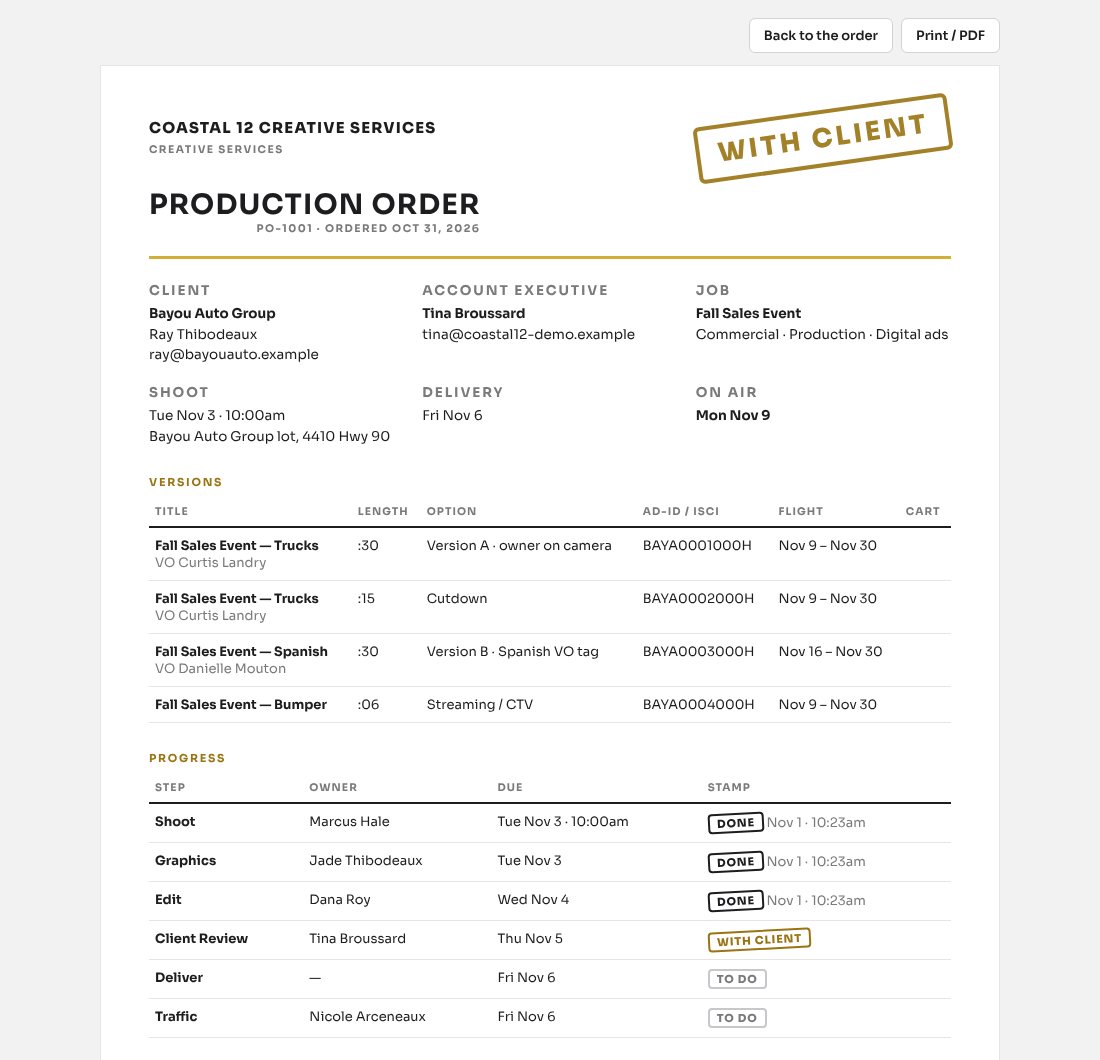
Bayou Auto Group "Fall Sales Event": booked from the field, shot Tuesday, cut Wednesday, approved by creative services, watched by the client Thursday, delivered Friday, on air Monday. Found again in two seconds next spring.
Every Department on Its Own Screen
Sales, Creative Services, Production, Traffic and My Work. Each person opens the station to their own department with the tools they use every day, and nothing they should not see. The creative services director sees it all. Search any client, version, Ad-ID or cart number from the top.
Production Order Form With Real Crew Avails
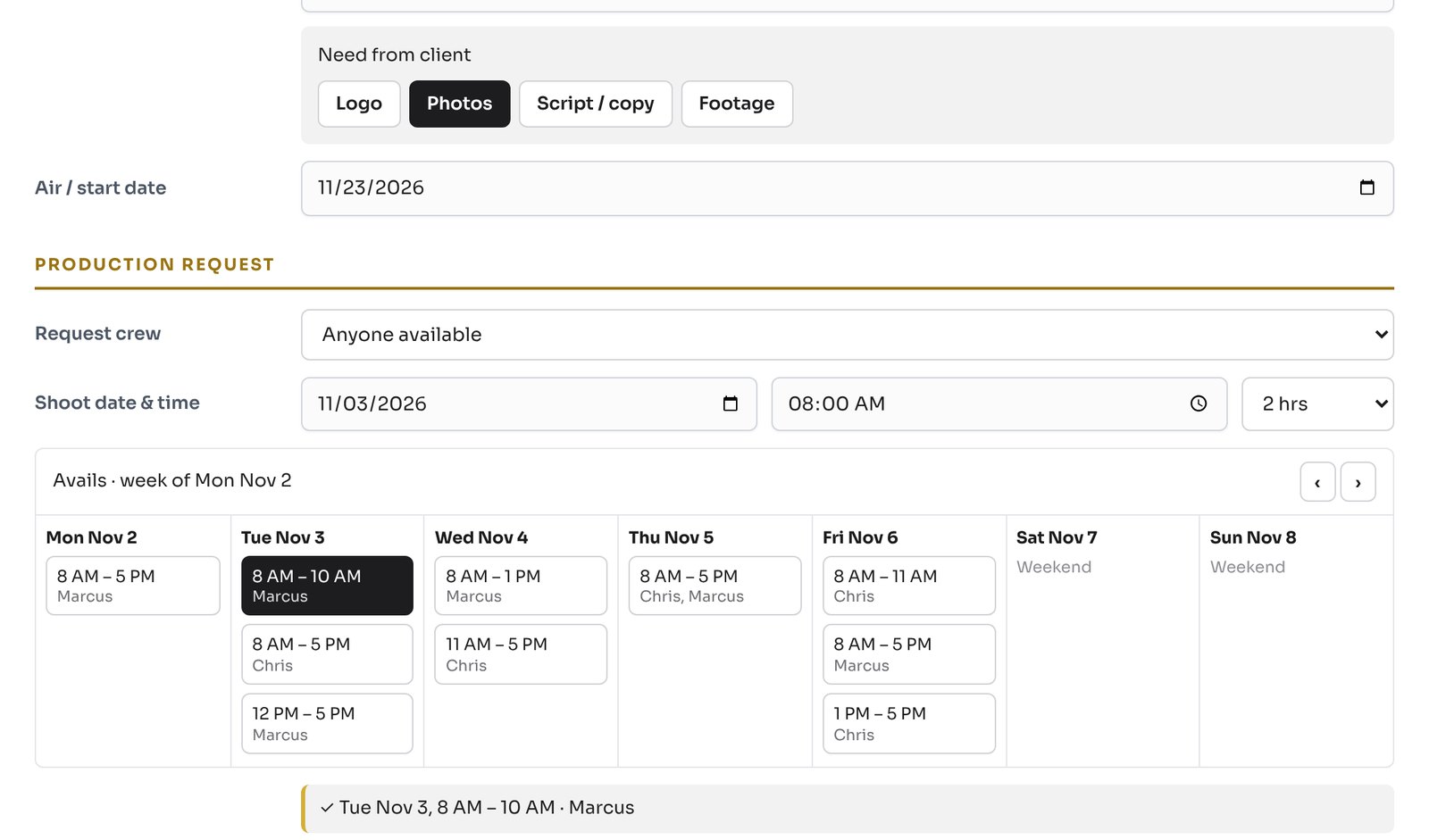
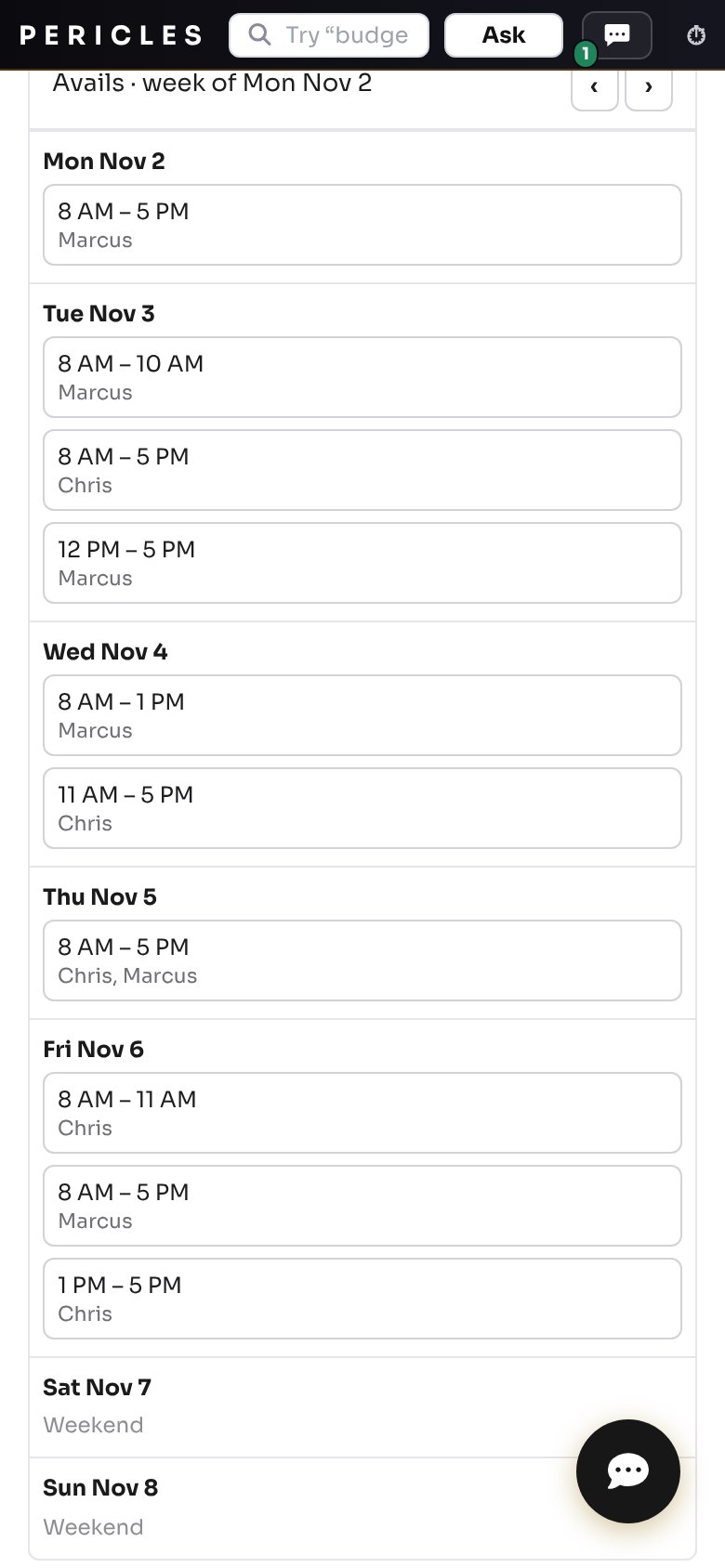
Pick the client, the job and an open time. Avails come from crew hours minus promo blocks and booked work, so nothing gets double booked. Works on the phone in the field.
Book Production From the Phone
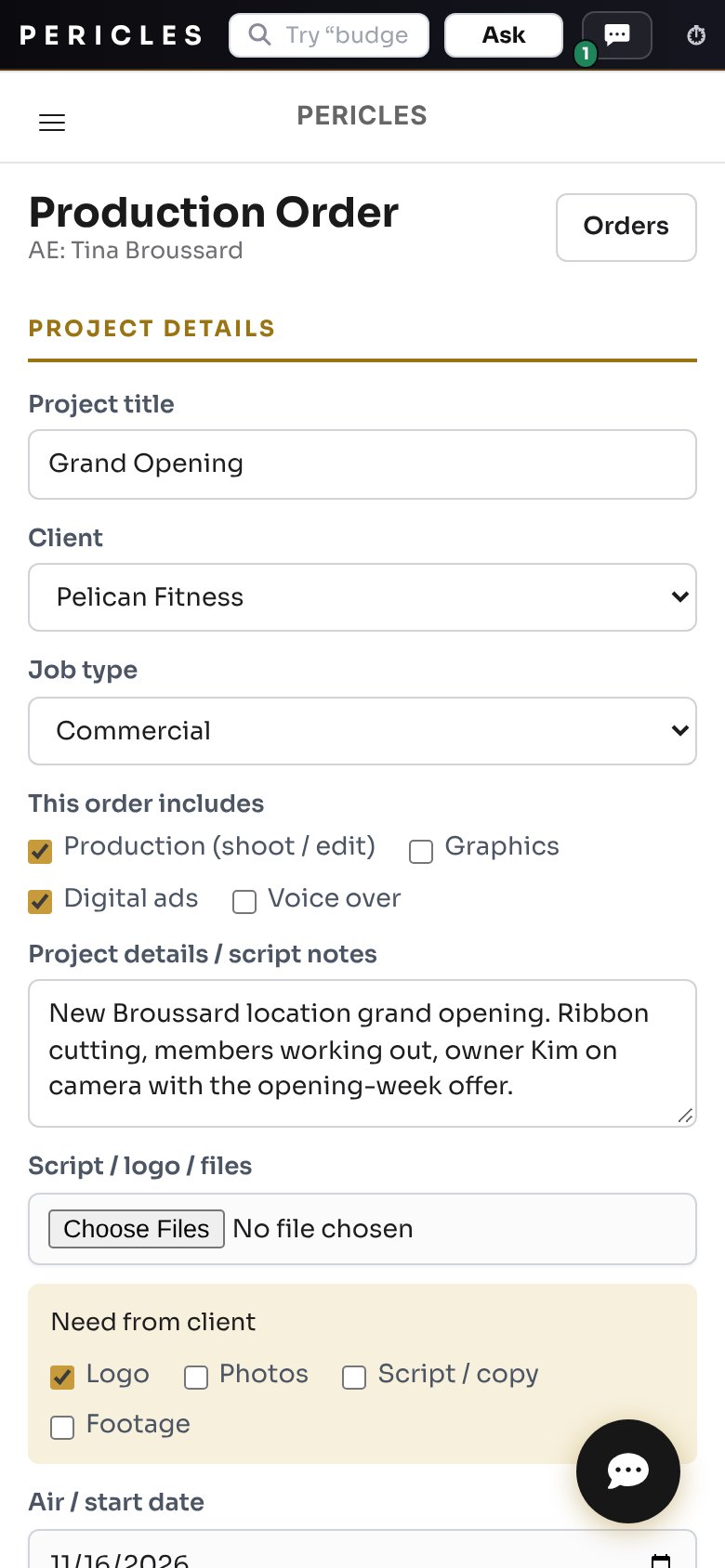
The account executive opens the Pericles app at the client, picks an open time, adds the versions and snaps the logo. The order, the dates and the brand kit are waiting for creative services before the meeting ends.
Every Version and Length on One Production Order
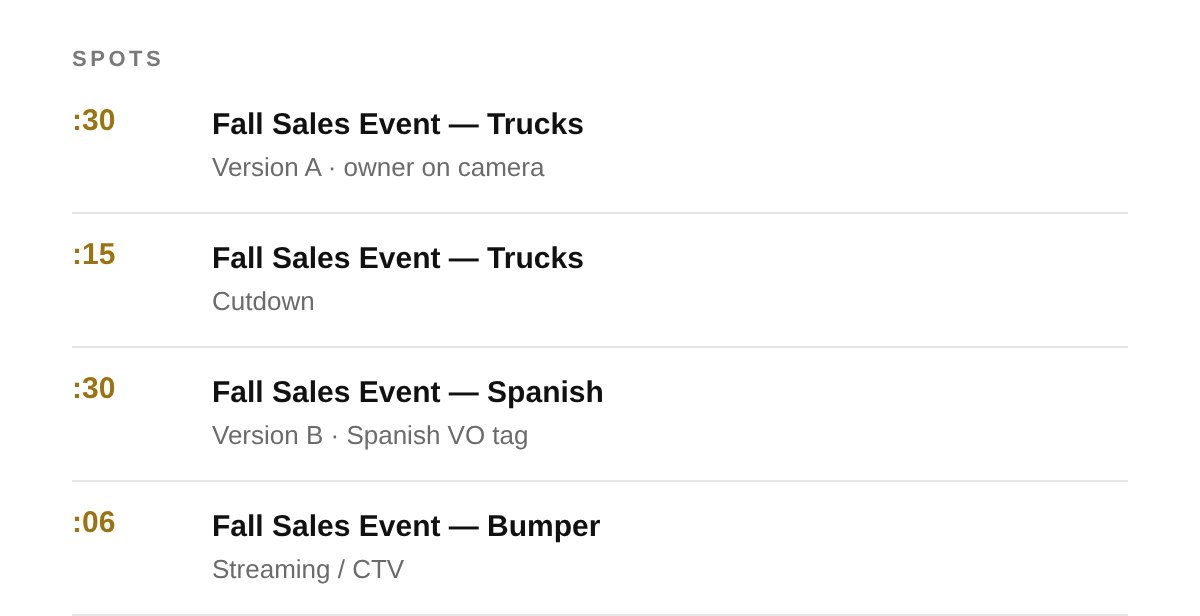
Name each version, pick its length and note the option. Cutdowns, language versions and bumpers ride one order, on the board card, in the itinerary and in every email.
Client Brand Kit in the Station Cloud Drive
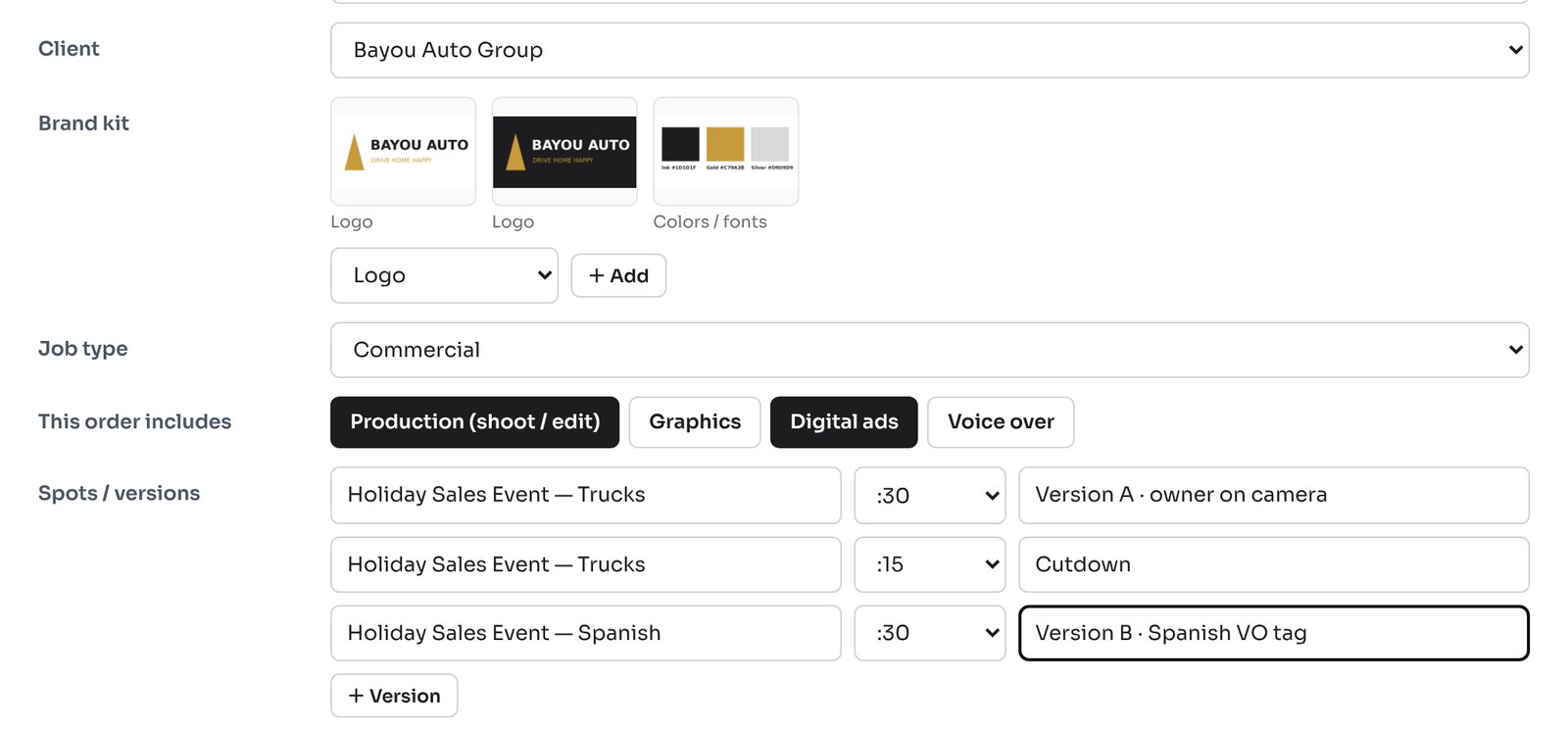
Logos, colors, fonts, photos and approved finals saved for each client. Pick the client and the kit is on the order. In the field, the account executive snaps the logo with the phone and graphics has it.
Crew Board: Every Desk, Every Person, Every Day
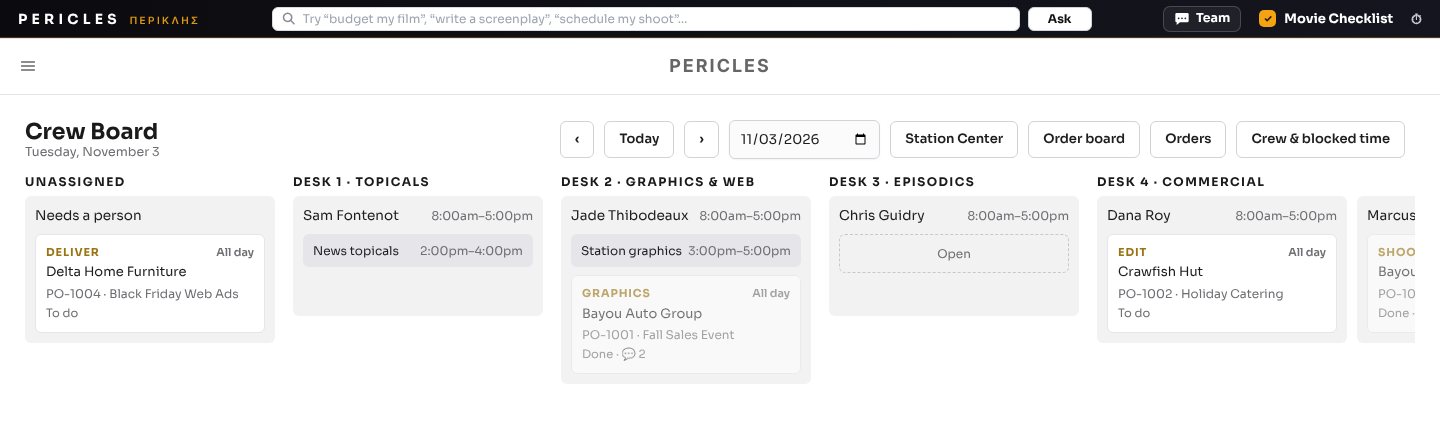
One column per person, grouped by desk. Promo blocks in grey, open time dashed, unassigned steps on the left. Drag a step to another person and their task, their calendar and their email update with it.
Each Order Becomes Dated Tasks With Owners
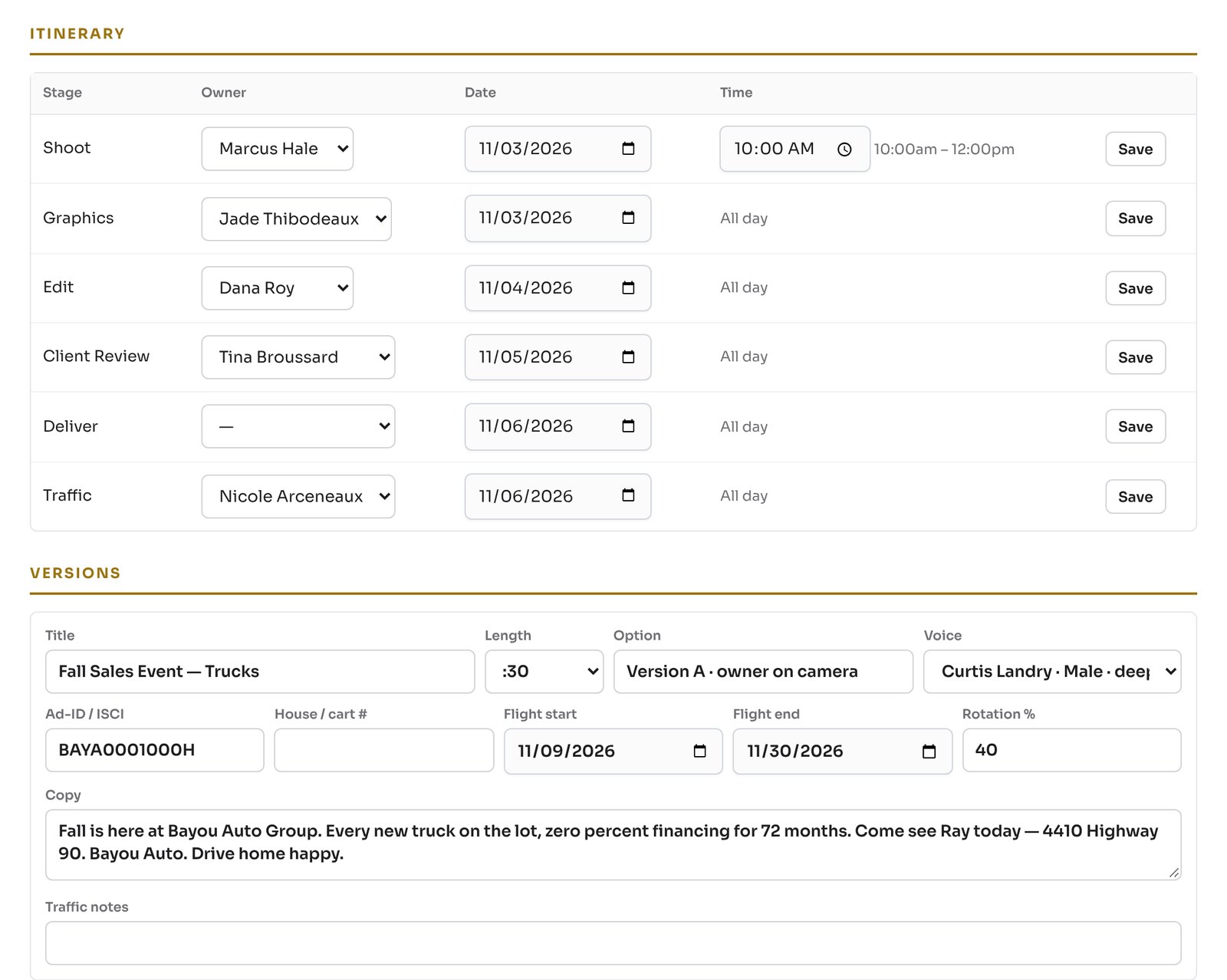
Shoot, graphics, edit, client review, delivery and traffic. Every step is a real task with a person and a date. The creative services director or production manager reassigns and moves times from the order or the board.
My Work: Their Tasks, Their Dates, One Tap to the Order
Each person sees only what is assigned to them, today and coming up. Open a task to reply, upload the file and send it for approval. The production order, the order, the Cloud Drive, Cine Edit and Delivery are one tap away.
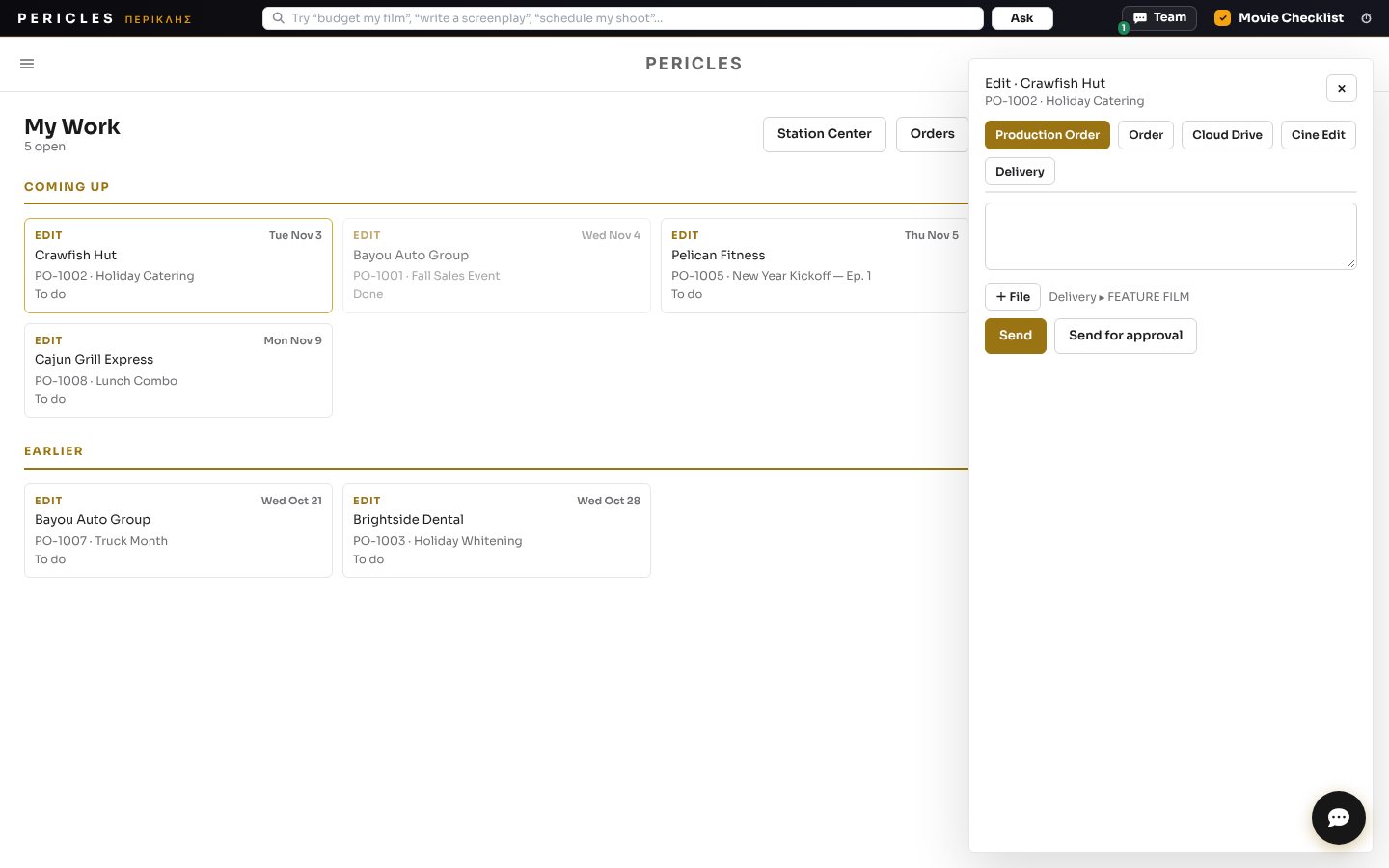
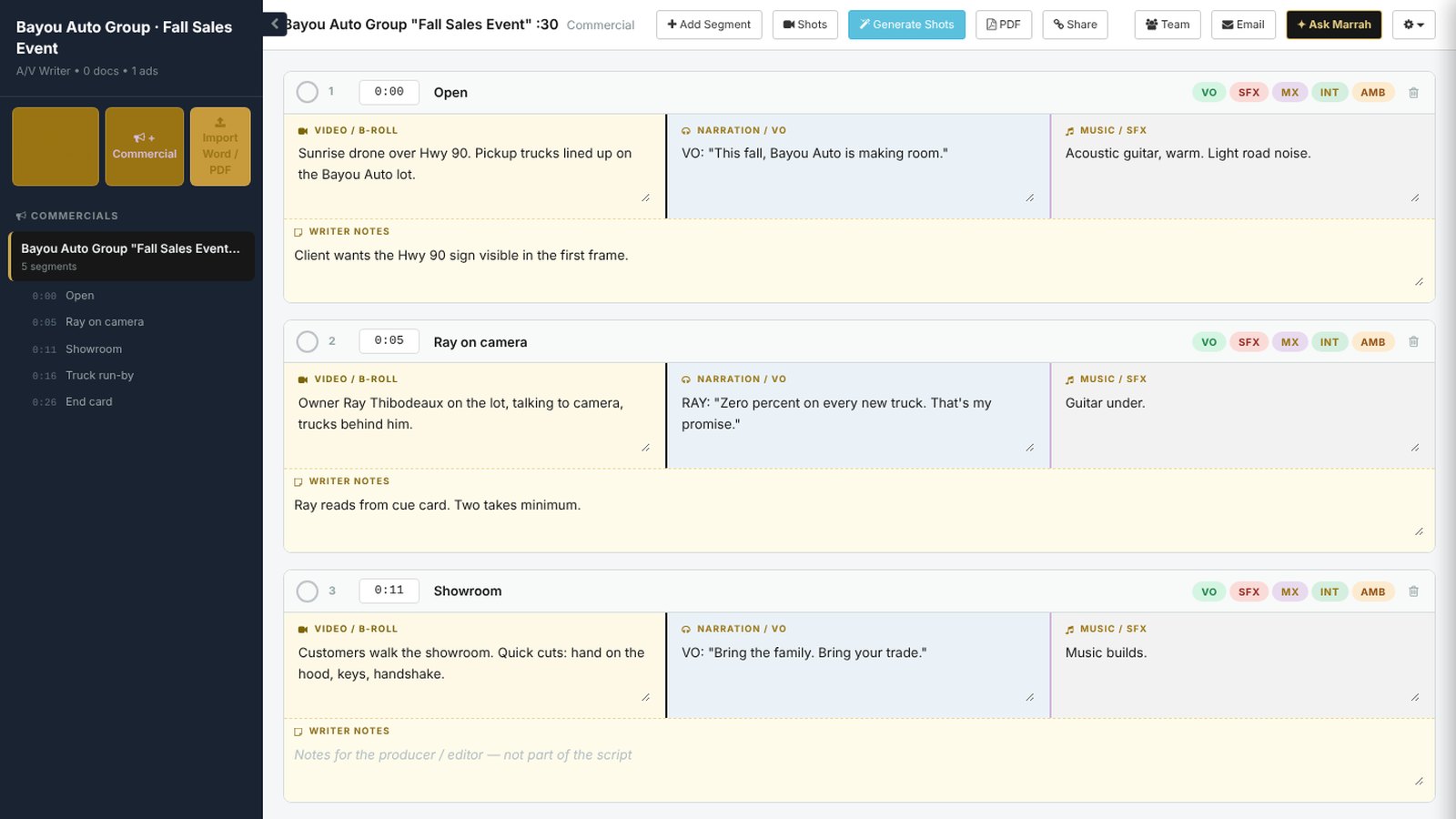
Two-Column A/V Script Writer on Every Order
Write the video and audio side by side, scene by scene, with copy, VO, music and writer notes. Script and copy approved on the order flow straight to the versions, the voice and traffic.
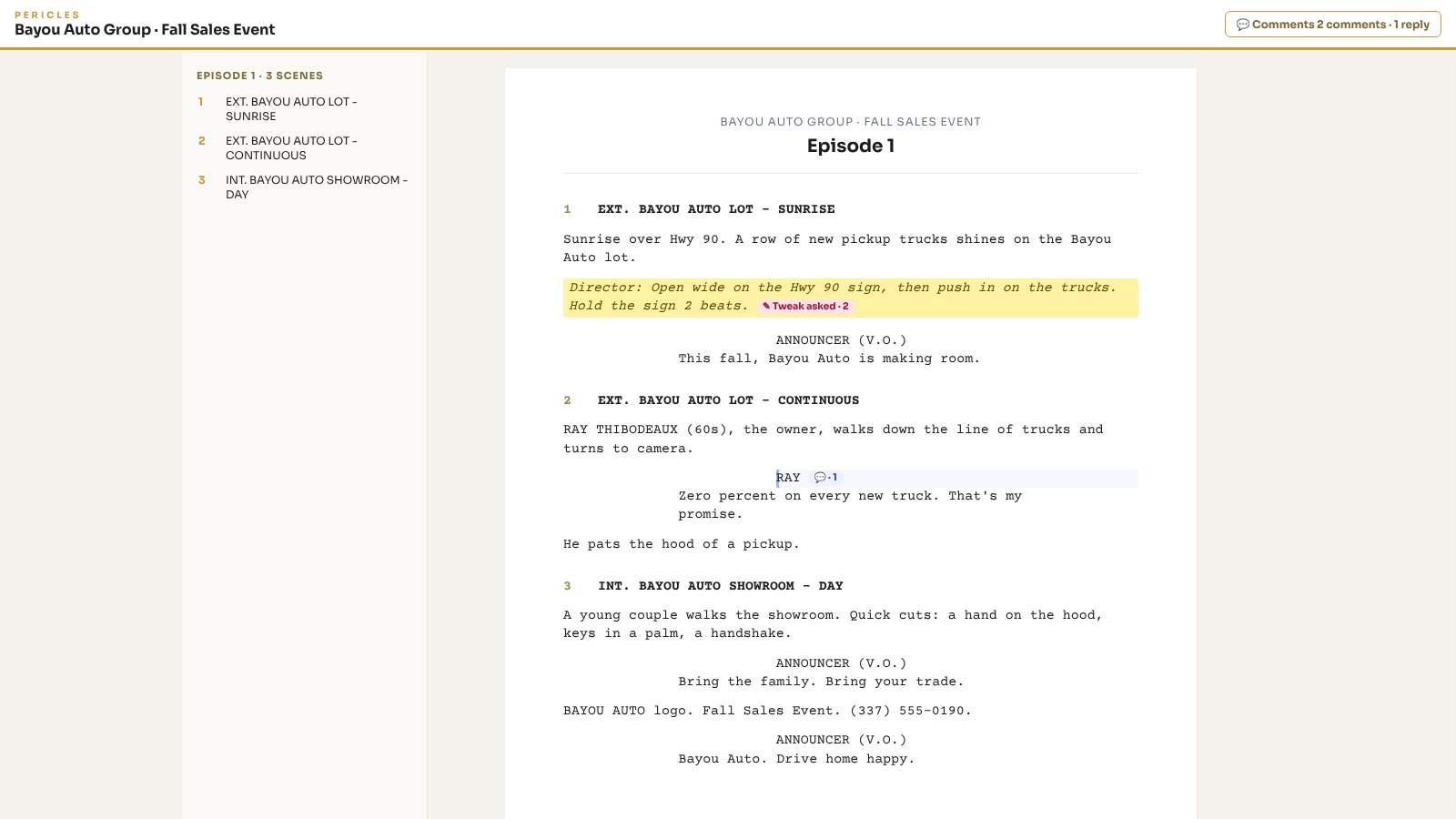
Clients Review the Script Online and Leave Notes on the Lines
Send the client one link. They read the script in the browser, select a line and suggest a change or leave a comment. No login, no PDF, no email chain. The writer replies, revises and marks it done.
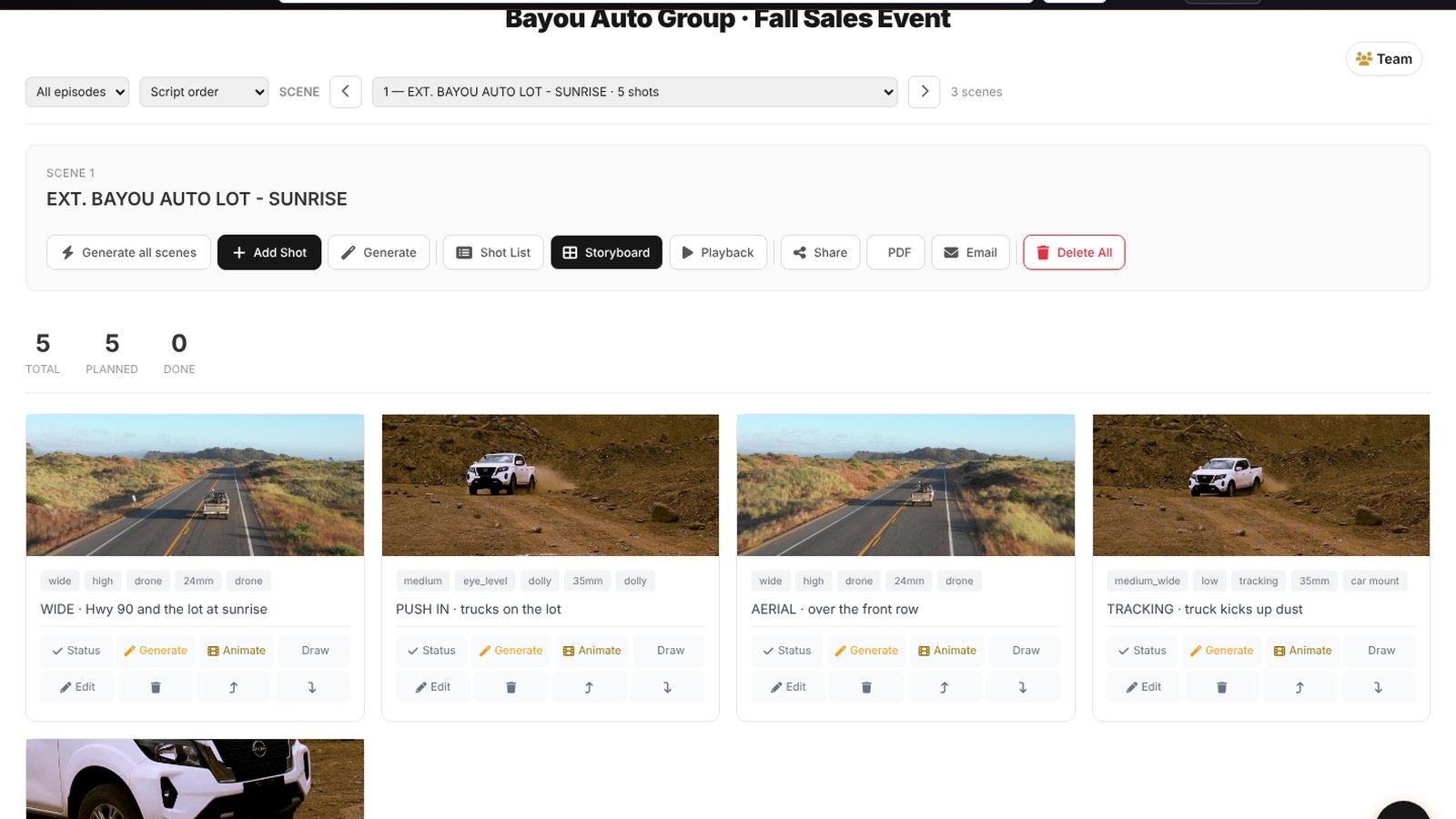
Storyboard and Shot List From the Script
Break the script into shots with size, angle and movement, then build the storyboard frame by frame. Shooters walk in knowing every setup.
Real Call Sheets for Every Shoot
Call time, locations with maps, scenes, crew and talent on one online call sheet that looks like a studio call sheet. Send it to the crew and the client in one click.
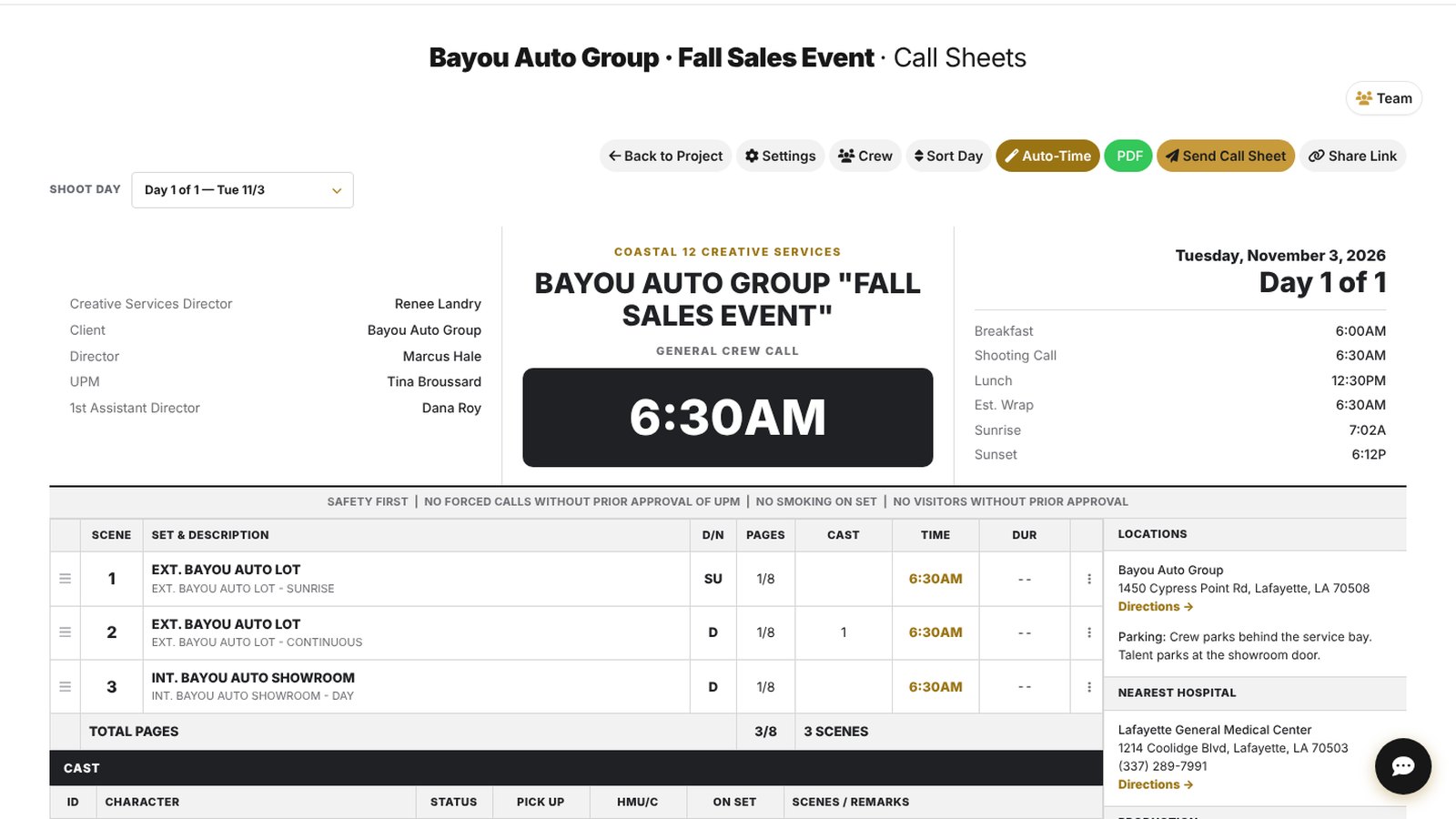
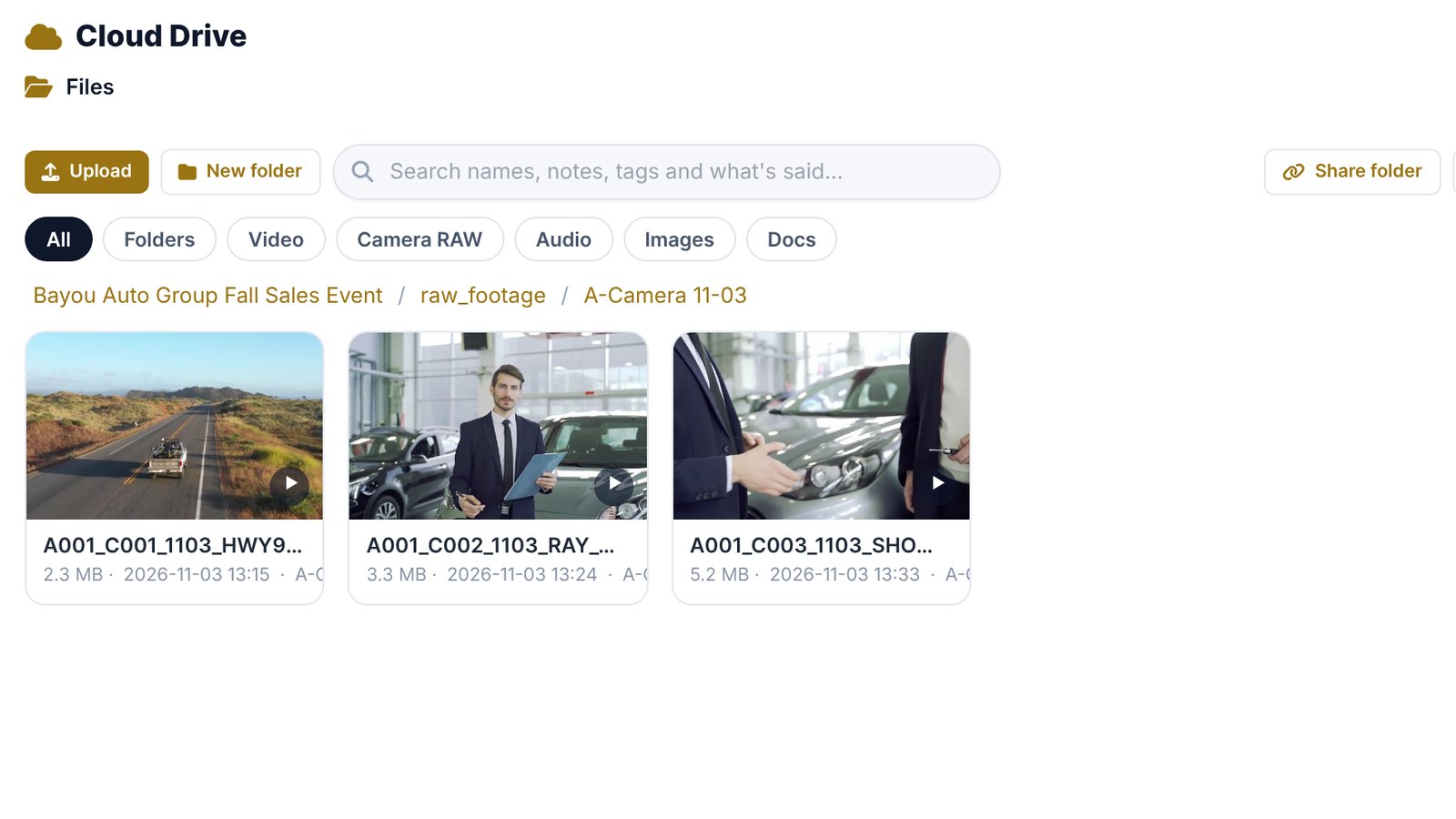
Camera Cards Go Straight to the Cloud Drive
Shooters drop the cards on the Pericles desktop drive and the footage lands in the order’s Cloud Drive, searchable by name, notes and what is said. Editors open it from their desktop without copying hard drives around.
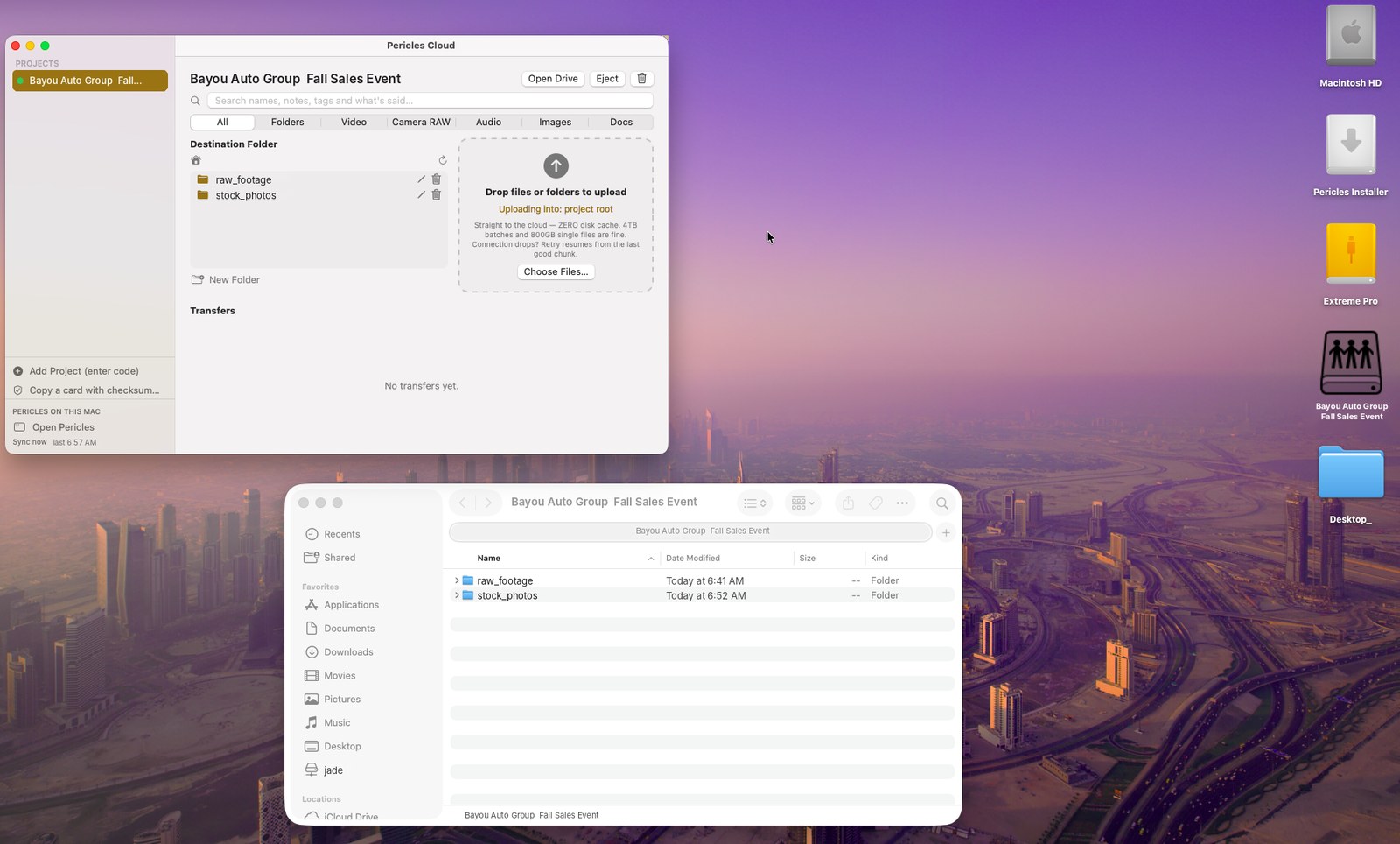
The Station Drive on Every Editor’s Desktop
Each order shows up as its own drive on the Mac or PC, named after the order. Drag files in, open them in any editing software, and everyone sees the same files.
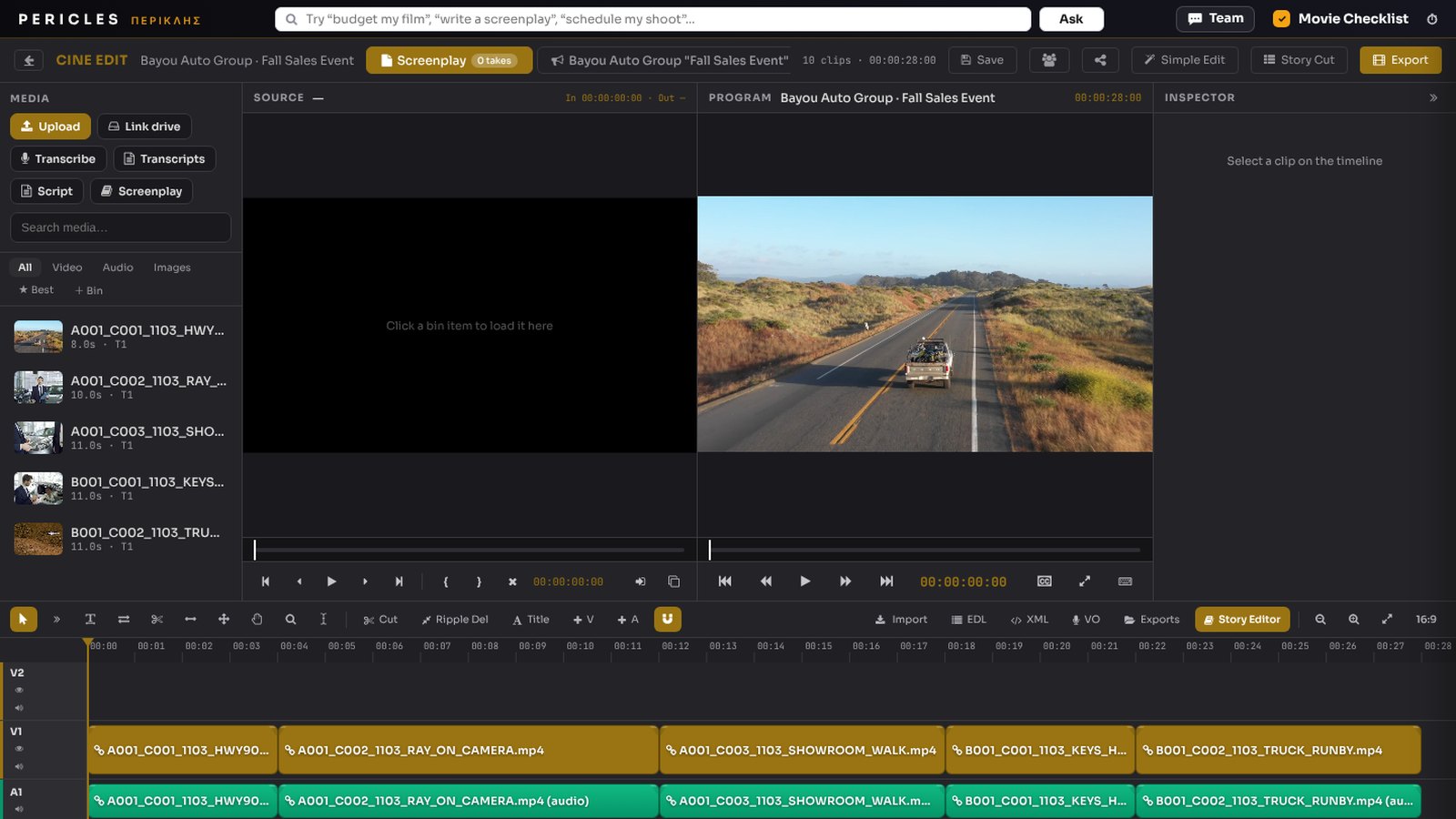
Edit in the Browser
Cut the footage in Cine Edit with source and program monitors, tracks, titles and audio. Export finished versions, or hand the cut to Premiere or DaVinci.
Graphics and Web Ads in Photo Studio
Design web ads, stills and title art in Photo Studio with the client brand kit and the photo library. Finished artwork goes to the order’s artwork folder with a link.
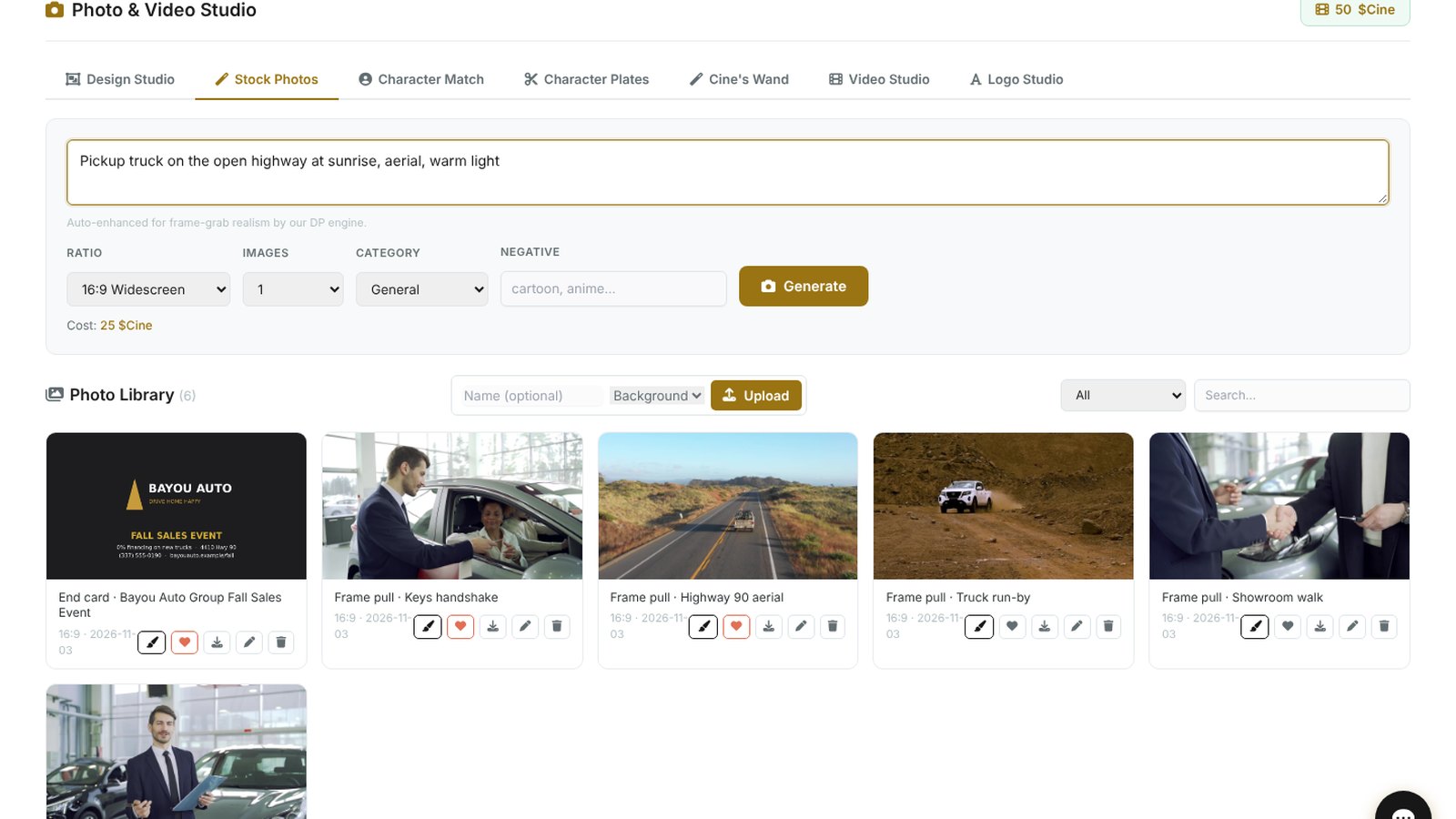
Uploads Go Where They Belong, With a Link Ready
A finished cut goes to Delivery, artwork to the artwork folder, voice to audio and raw footage to the Cloud Drive. Every finished file gets a review link on the order, so nobody digs through folders to find it.
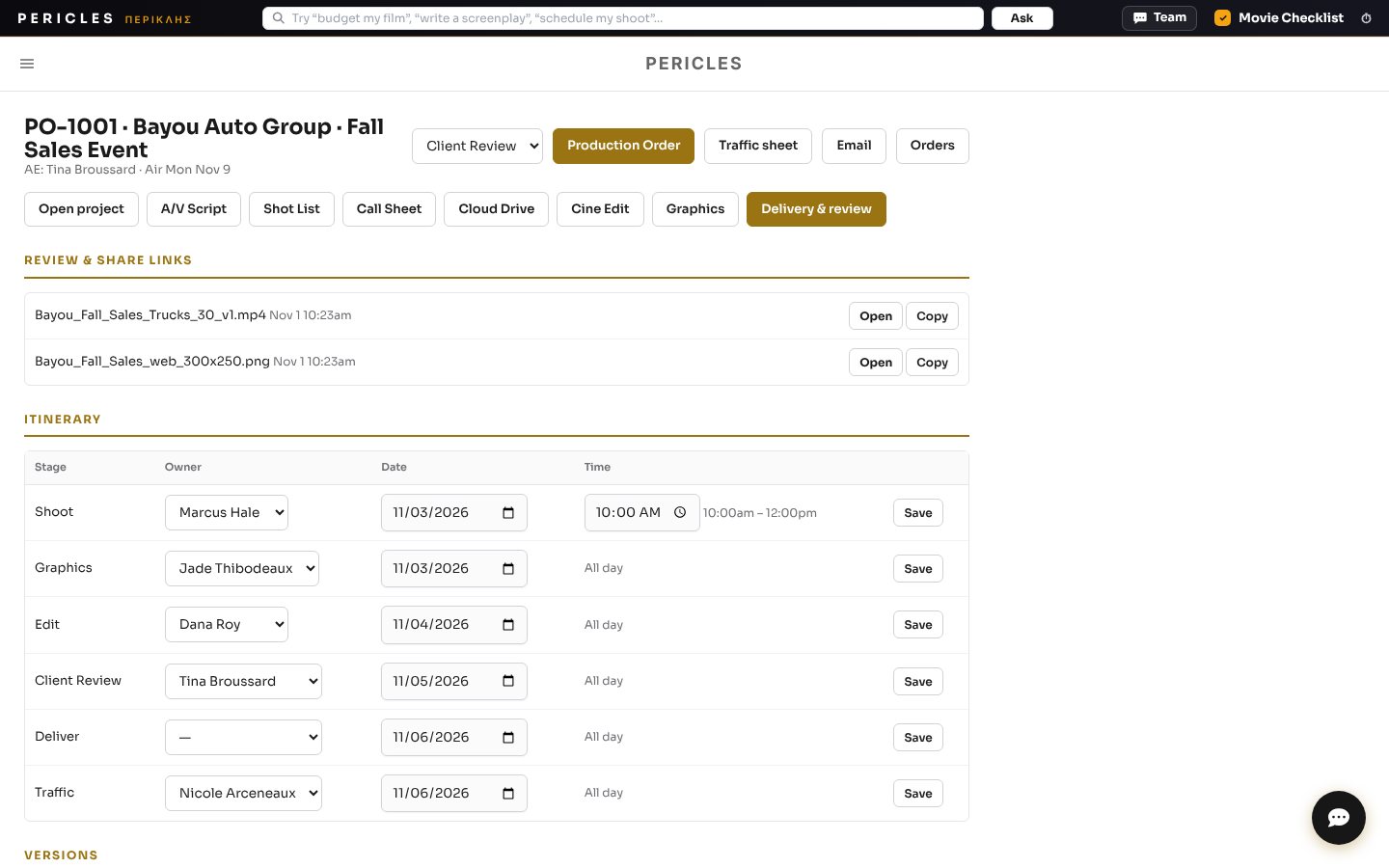
Crew Uploads, Creative Services Approves, the Client Watches
The creative services director approves the work or sends it back. The account executive sends the client a branded review email with a watch link. When the client approves, the order moves to delivery and traffic.
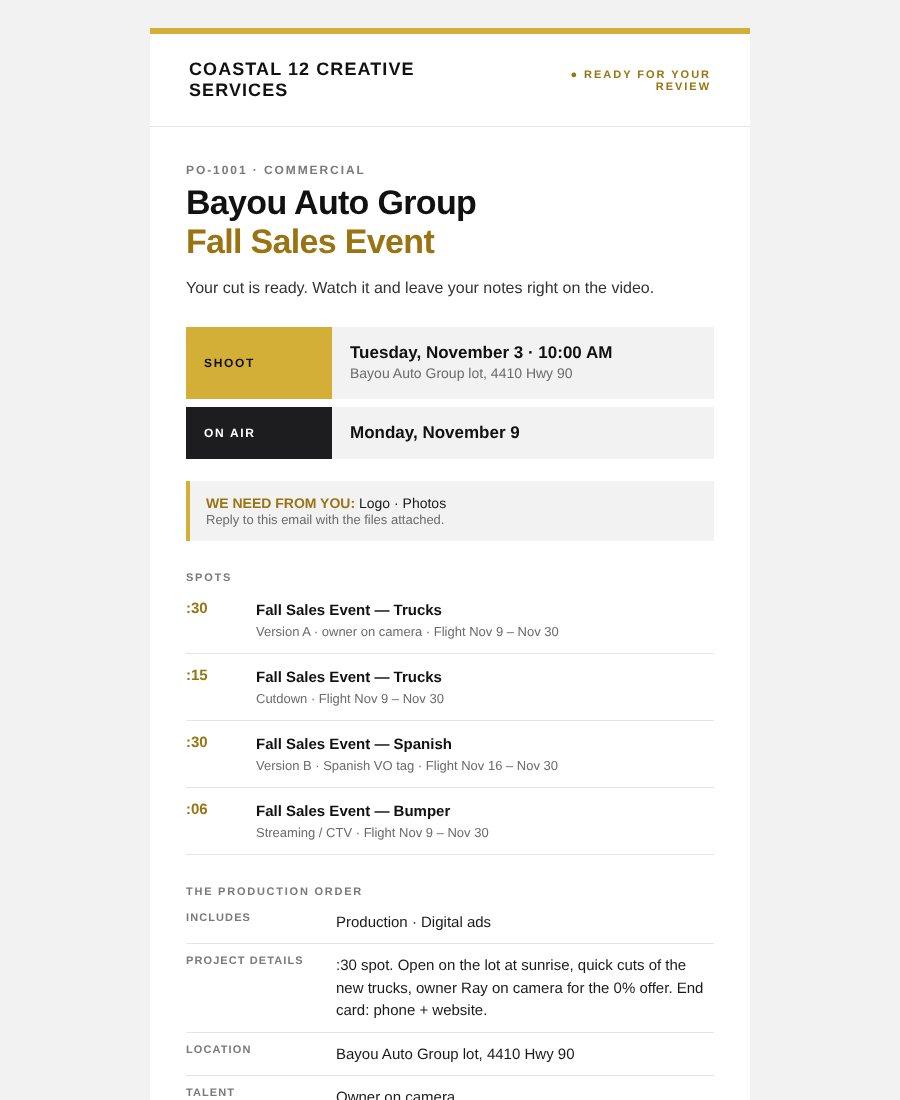
Clients Leave Notes Right on the Video
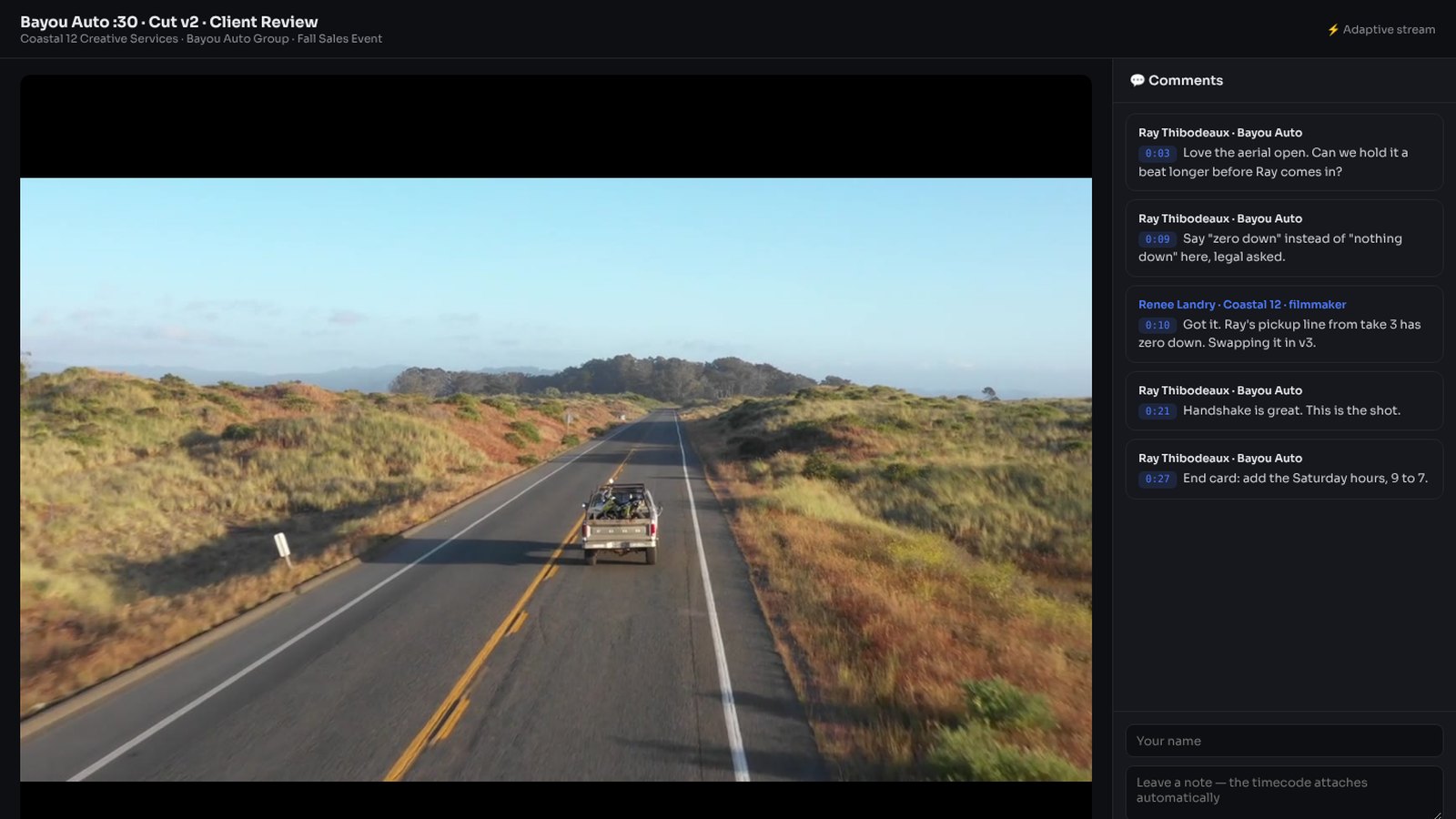
The client watches the cut in the browser and leaves notes at the exact moment. The editor sees every note on the frame, makes the change and sends the next version.
A Production Order That Gets Stamped Like an Invoice
One printable sheet: client, account executive, versions with Ad-ID and flight, and every step stamped as it happens. Done with the date, with client, to do. Print it or save it as a PDF for the file.
Traffic Instructions With Ad-ID, Flights and Rotation
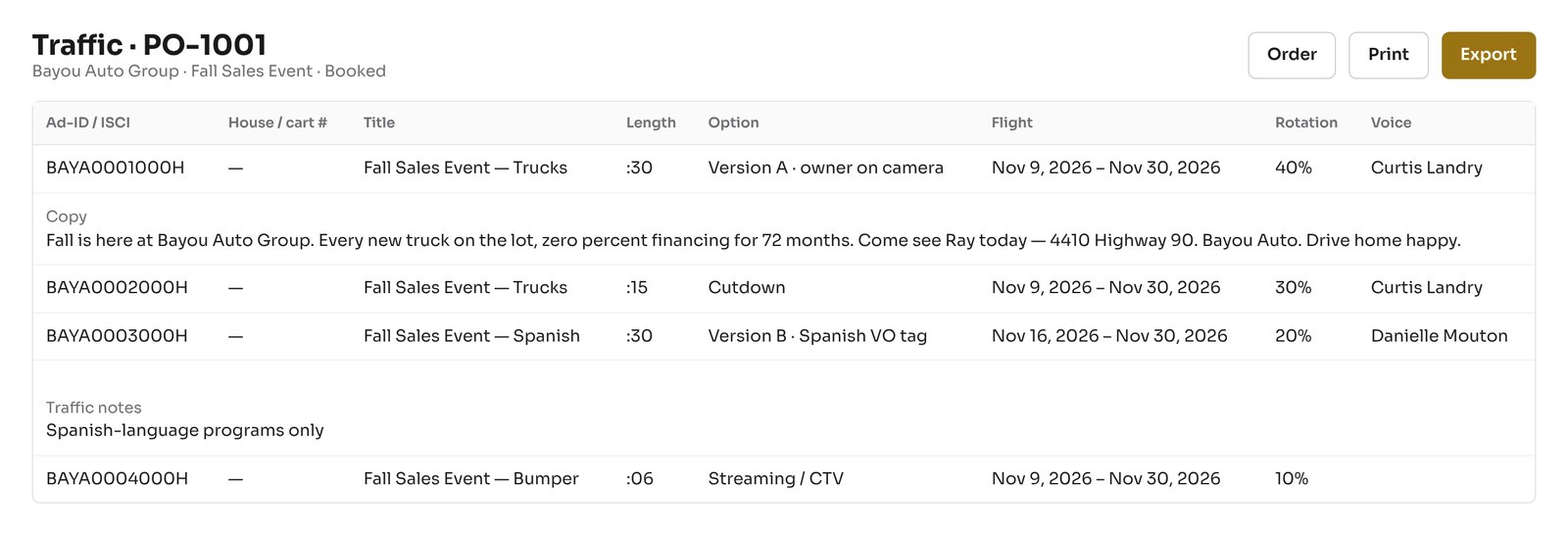
Each version carries its Ad-ID or ISCI, house number, flight dates, rotation, voice and copy. Traffic owns the last step and gets a printable sheet and an export, so nothing is typed twice. When every version has its cart number, the order moves to On Air.
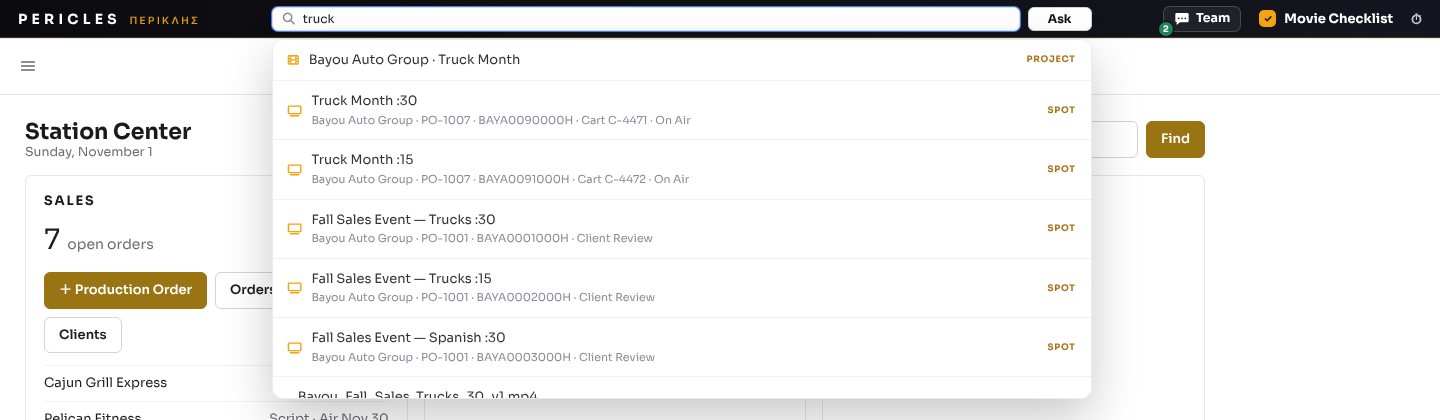
Search Every Order, Version and File in Seconds
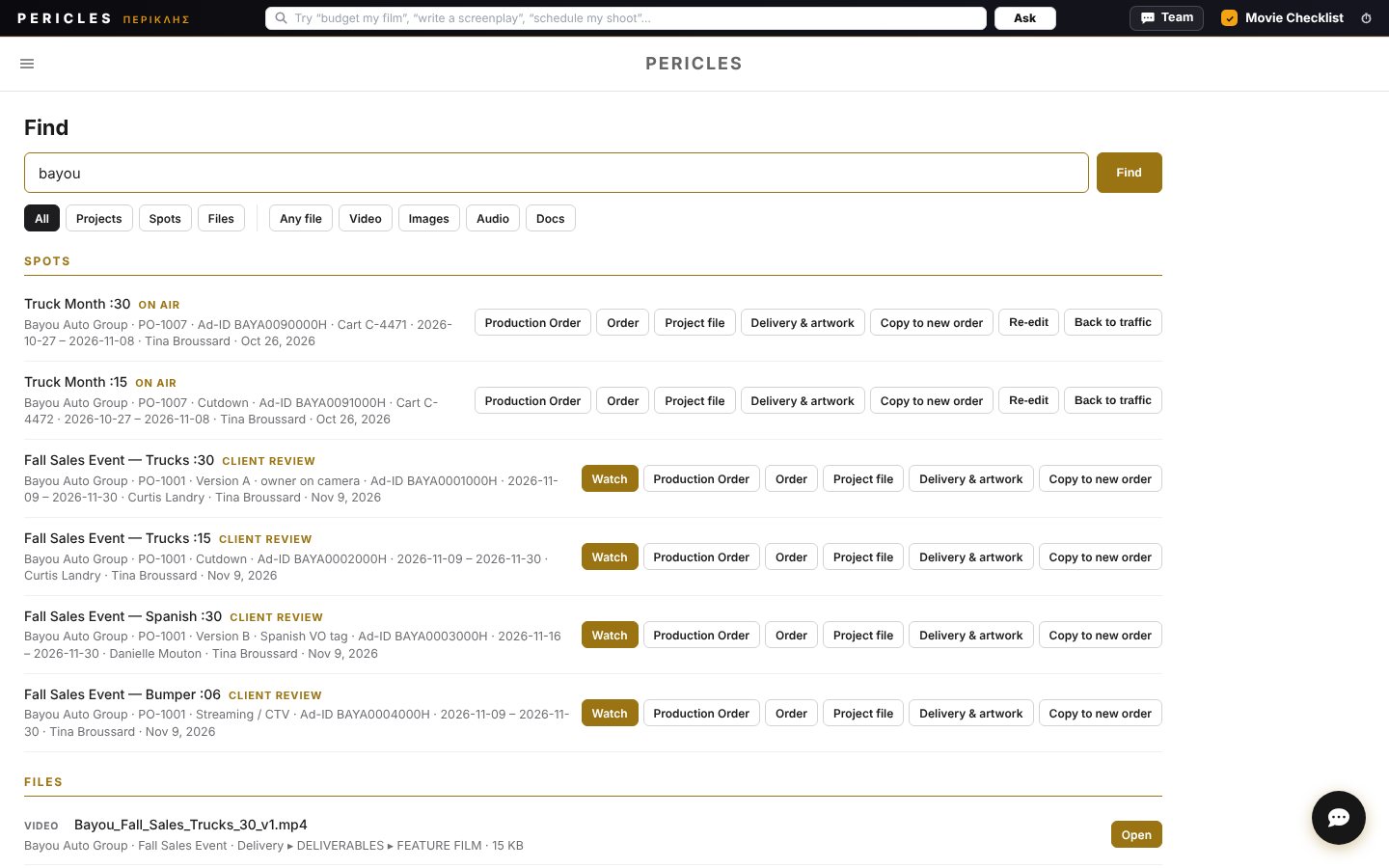
Type a client, a version title, an Ad-ID, a cart number or a PO. Pericles finds the version, the finished file, the artwork and the project file, old or new. Everyone only finds what they are allowed to open.
Re-edit It, Send It Back to Traffic, or Start a New Order From It
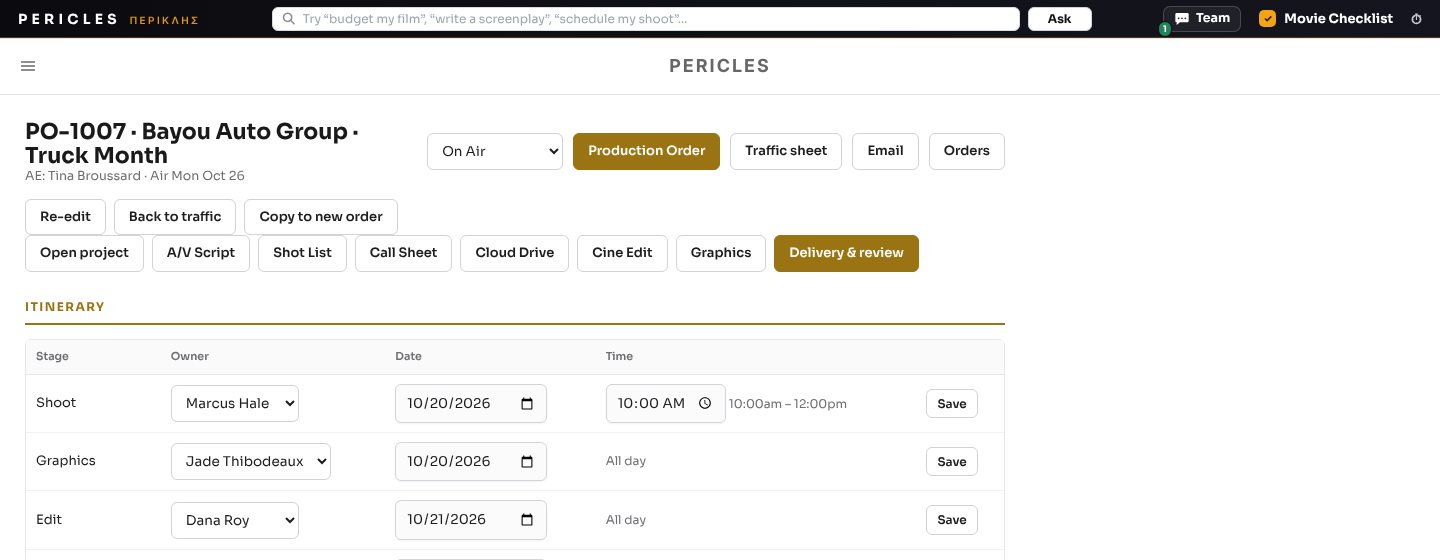
An old version reopens on its own order with a revision task for the editor who cut it. A new flight goes straight back to traffic without bothering the client. Or copy it into a new production order with the client, versions, copy and voice already filled in.
The Same Search on Every Page
The search at the top of every page finds tools, projects, versions and files as you type. The same search is in the desktop app and the phone app.
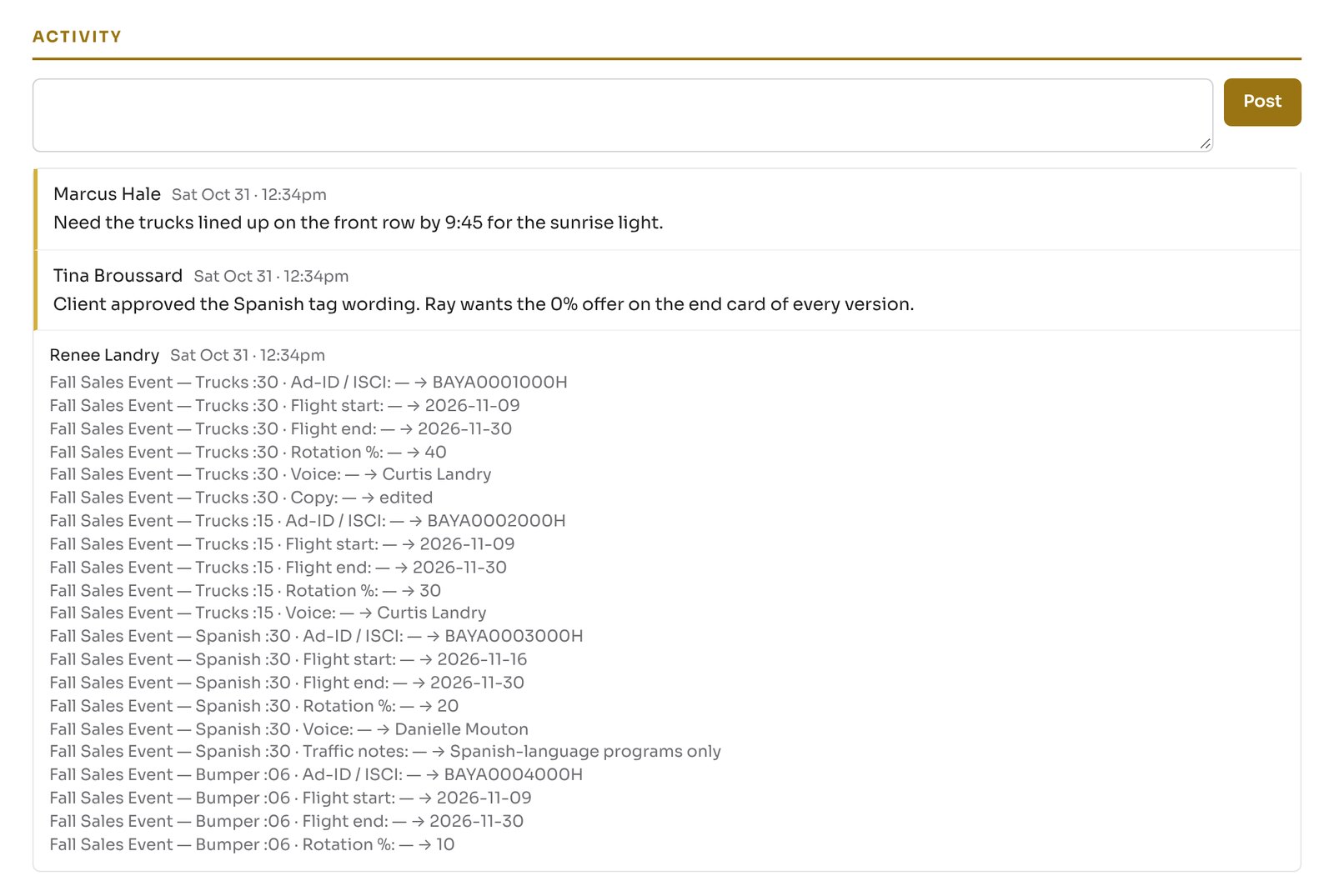
Order History: Who Changed What and When
Every change to a version, a date, an owner or a status is written to the order with the person and the time. Notes live there too.
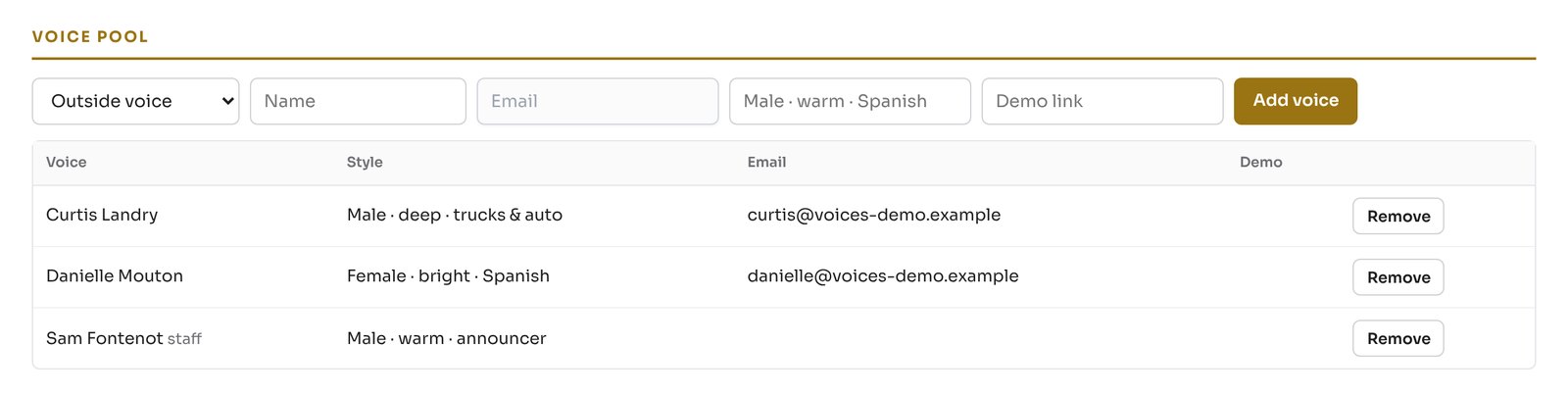
Voice Talent Pool for Every Version
Keep the station voices with their style and rate. Pick the voice on each version, and it shows on the order, the production order and the traffic sheet.
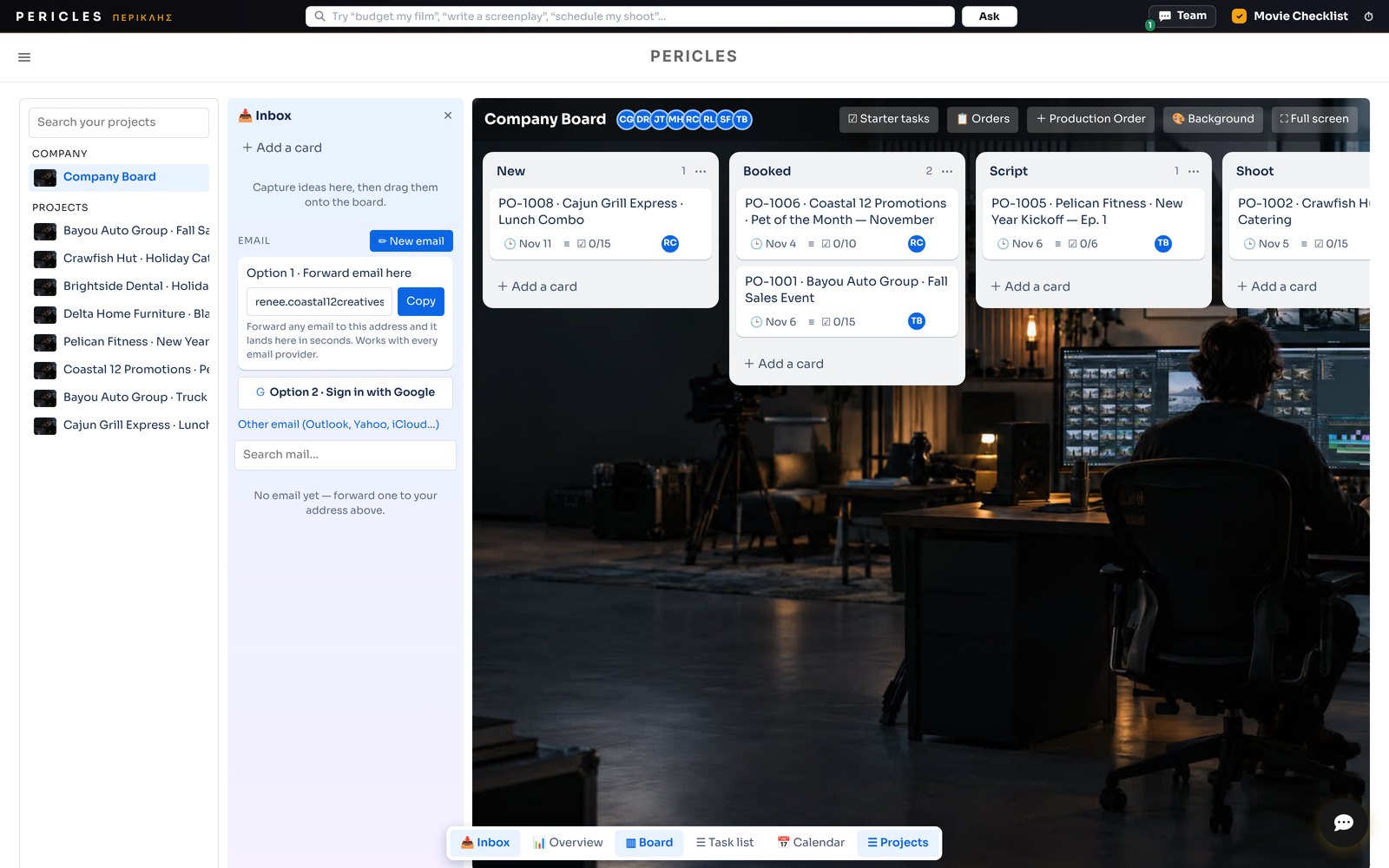
Production Tracking Board, Order to Air
Every order is a card that moves from New to On Air. Drag a card and the order status follows.
Branded Order Emails for Clients and Crew
Order received, booked, ready for review, delivered. Clients get the station brand and the dates. Crew get their own copy with their step highlighted.

Job Types and Turnaround Times
Set the steps and days for each kind of work once. Every new order gets real dates from the first click.
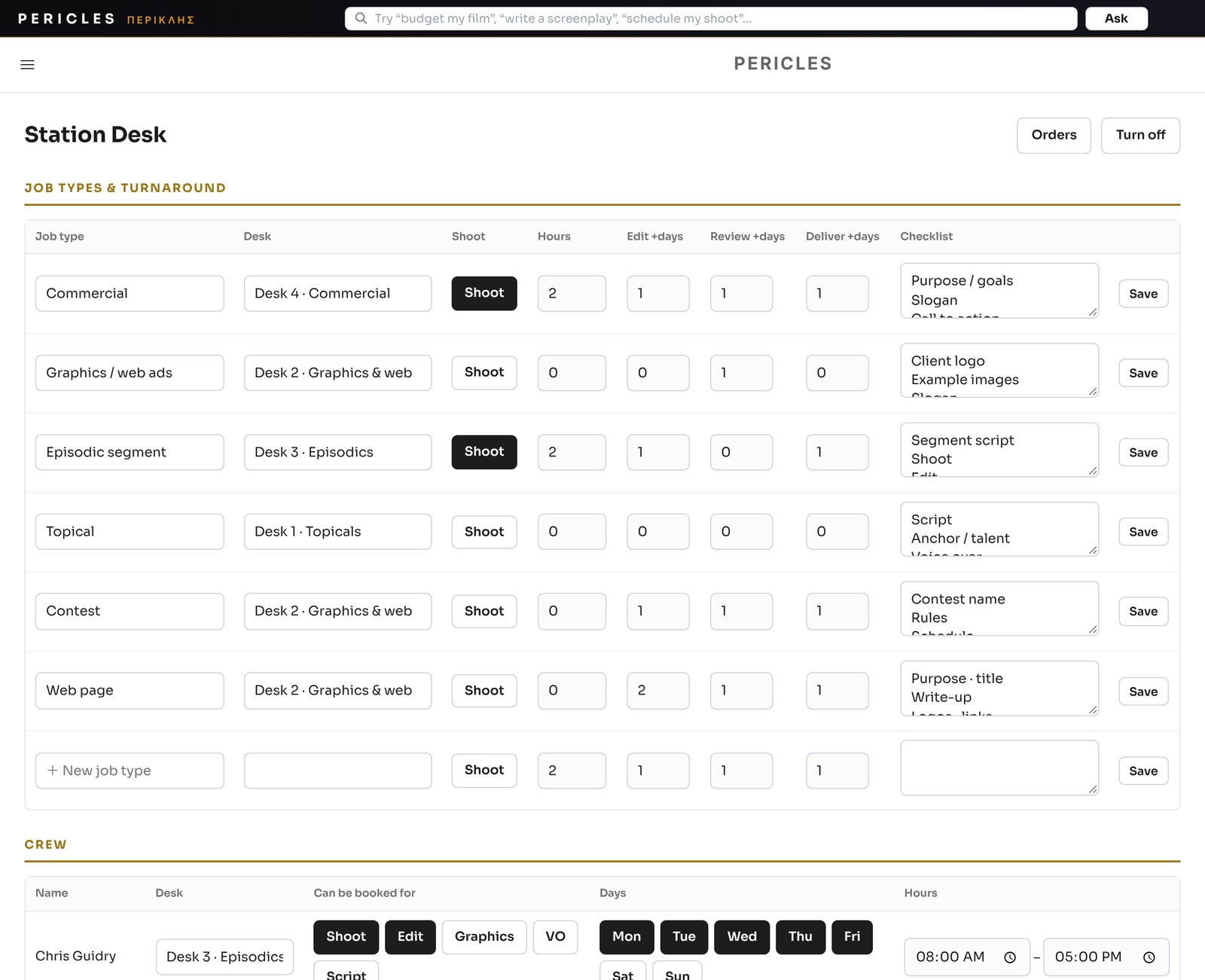
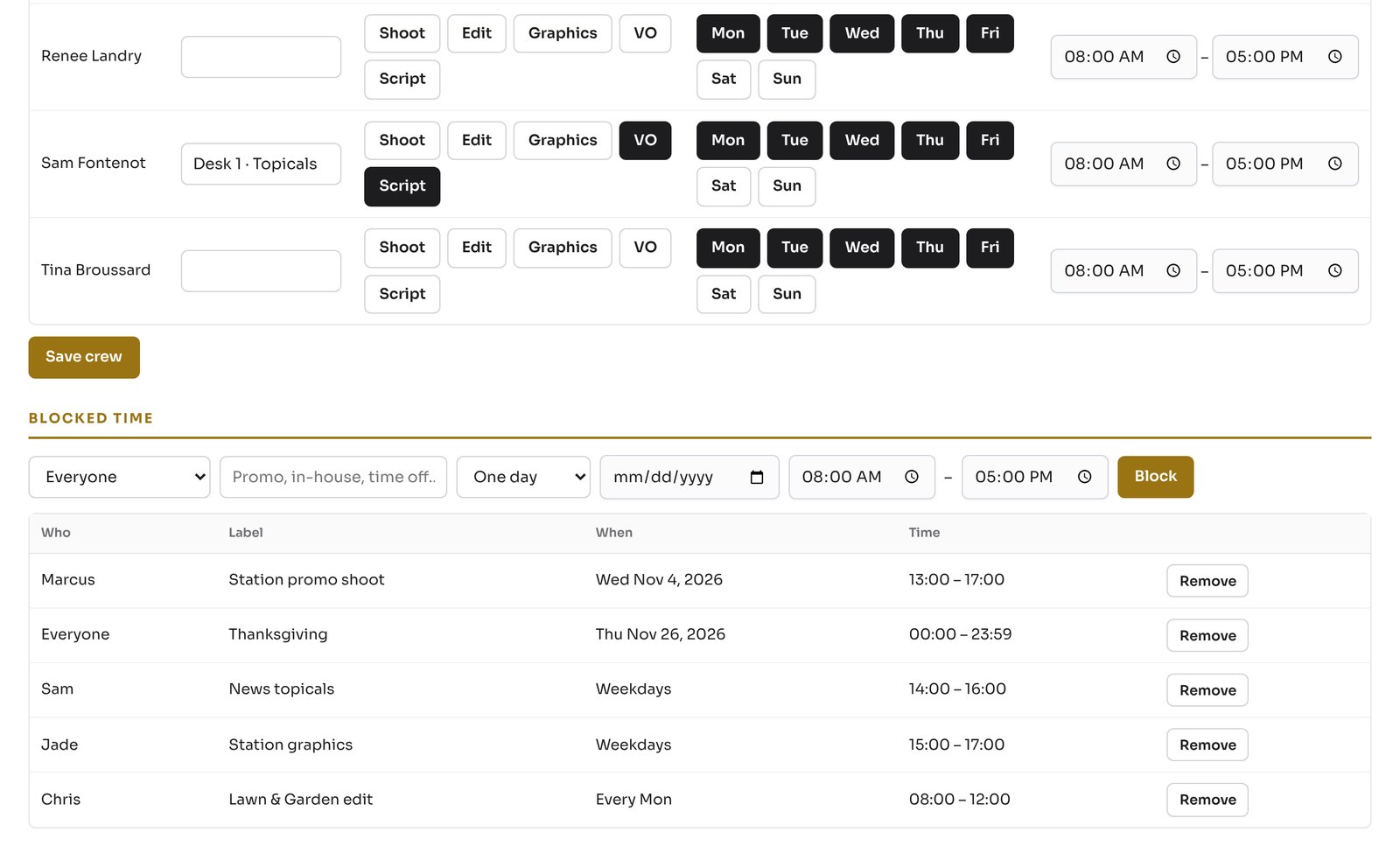
Crew Scheduling With Blocked Promo Time
Everyone is open during their hours by default. The creative services director blocks promo time and days off, one time or every week, and the avails update for sales right away.
Built for TV Station Creative Services Departments.
Account Executives
Book from the field, send review links, track every order to air.
Creative Services Directors
See every desk, assign and move work, approve before the client sees it.
Producers, Editors, Graphics
Their tasks, their dates, their files, one tap to the order.
Traffic
Clean instructions with Ad-ID, flights and carts, ready to schedule.
Stop Promising Dates Blind.
Production orders, crew avails, tasks, approvals, delivery and traffic in Pericles.
Start FreePericles.
One login runs the entire production.